טוען...
2026 · 32 Guides · Agents + Infrastructure
Agent Network Guides
32 practical guides covering a complete AI agent network + core infrastructure. Not theory, real installation steps, tips from daily use, and working code examples.
12 agents 6 working patterns 14 infra components open source
AI Agents
12 autonomous agents working together across diverse tasks


Claude Code
Updated
Not just another AI tool — an entire team of specialists working for you
Claude Code is the real 2025–2026 breakthrough in software development: instead of treating AI as a side assistant that writes snippets for you in ChatGPT, Claude Code brings the most advanced AI in the world directly into your terminal and working environment — with the ability to edit files, run commands, manage git, test sites in a browser, and execute complex tasks completely on its own. It's built by Anthropic (creators of the Claude model — the direct competitor to OpenAI's ChatGPT, and widely considered the most advanced model in the world for coding today). The Claude Code CLI integrates with every leading development environment (VS Code, Cursor, JetBrains, plus a Mac/Windows desktop app), offers access to the three current 2026 models — Opus 4.7 (the strongest, with a one-million-token context window), Sonnet 4.6 (the balanced default — 400K tokens, with 1M in beta for some users), and Haiku 4.5 (fast and cost-efficient) — and supports a massive open ecosystem of extensions: Skills (ready-made capabilities that teach Claude to perform specific tasks), MCP Servers (connectors to external services), Sub-Agents and Managed Agents (a virtual team of specialists working in parallel, including background tasks), Hooks (automations that fire before or after any action), and more. What I've put together and share in this guide — my full working environment with 350+ professional Skills, 32 specialized agents, and 22 MCP servers — represents hundreds of hours of research, experimentation, and expensive mistakes I've already made on your behalf. Everything is open source, completely free, continuously updated, and ready to install on your machine with a single command. Whether you're a seasoned developer looking for a dramatic productivity jump, an entrepreneur who wants to build an MVP in a single night, or simply curious about the technology reshaping the world of work — Claude Code is the entry point, and this guide (together with the repositories linked below) is the shortest route in.
Read the guide
350+ · Skills22 · MCP connectors

Kami
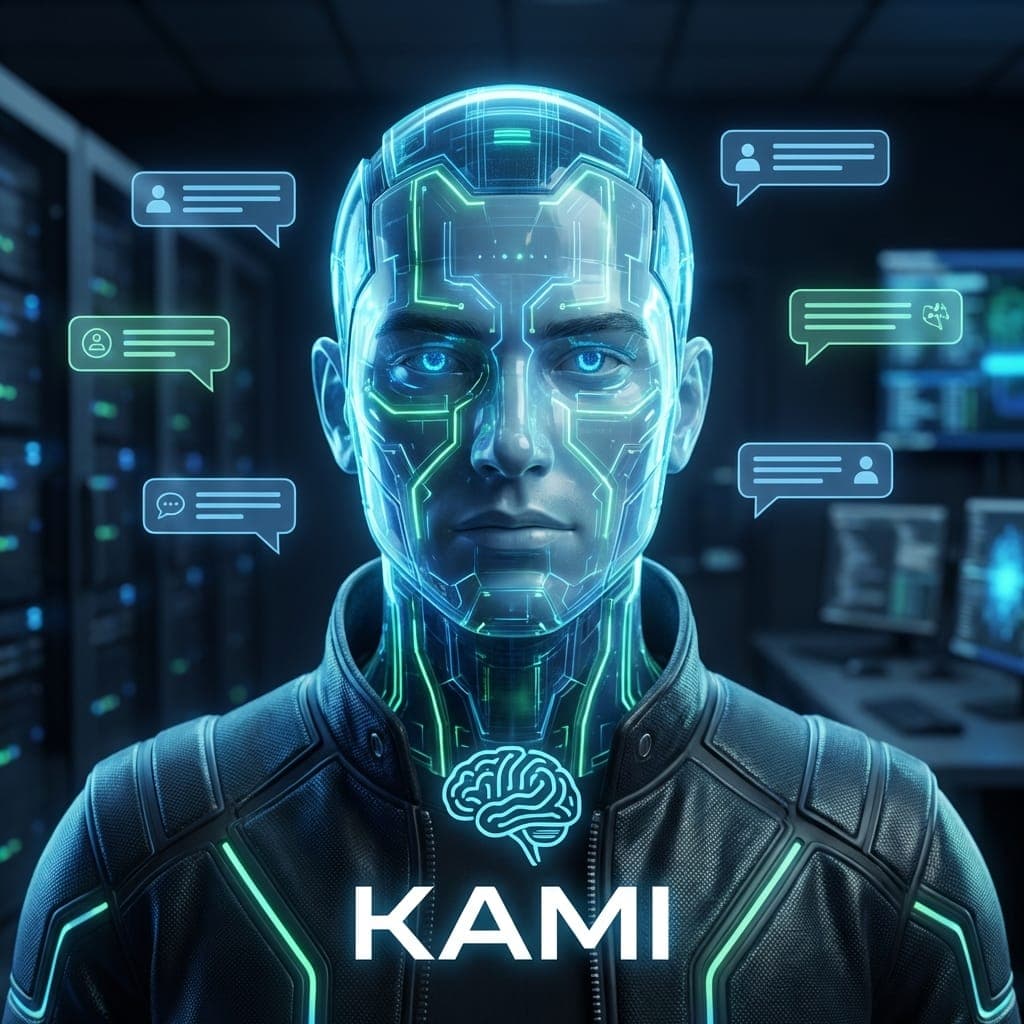
Hebrew-native WhatsApp agent
A personal AI assistant that lives inside WhatsApp — it listens, speaks, and remembers your conversations
Kami is a personal AI agent that lives inside WhatsApp — the messaging app we already use every day. Instead of opening yet another app like ChatGPT or Claude, you simply send a message to a WhatsApp number and get a reply, either in text or in voice. Under the hood, Kami is a service I built in TypeScript (the modern, type-checked version of JavaScript) that runs 24/7 on a small private server. It connects to WhatsApp through Green API — a lightweight, secure gateway that shuttles messages between WhatsApp and my code. When a message arrives, it is processed by [Claude Sonnet](/en/claude-code) — one of the most capable large language models (LLMs, AI systems trained to understand and generate text) on the market today. If the message is a voice note, it is transcribed into precise Hebrew by Gemini (free, with fallback to Groq and Whisper); when Kami replies, it can answer with a spoken voice generated by Google Gemini TTS (free and natural sounding). Kami's signature ability is memory: it remembers older conversations using a specialized database ([Qdrant](/en/guide/qdrant), explained in its own guide), so you can pick up on an idea you started a week ago and continue from exactly where you left off. For me (Elad), Kami has become something like a chief of staff: it sends a morning briefing, reminds me of tasks, and handles my voice messages while I'm on the road. For you, the exact same architecture can power smart 24/7 customer support, a personal tutor that walks a student through their work, a digital family companion, or any other use case you can imagine for a conversational agent that lives inside WhatsApp.
Read the guide
24/7 · AvailabilityHebrew · Default language


Kaylee
Monitoring + Self-Healing
Who watches your server at 3 AM? An AI agent that never sleeps
Kaylee is the autonomous AI agent that keeps my entire agent network alive — around the clock, every day, without a break. Under the hood she runs on OpenClaw, a framework that has recently taken the agent world by storm: an AI agent that can perform almost any action you ask of it on a Linux server (start services, inspect logs, fix configuration, even edit source code) entirely on its own. OpenClaw pairs with Gemini Flash (Google's free tier) for reasoning, and ships with full access to the critical pieces of a host: containers (via [Docker](/en/guide/docker)), system services (systemd), and the file system. That power is also its risk — it fires a lot of parallel requests at the model, so unconstrained use can get expensive fast. The fix is to set boundaries up front: an allowlist of permitted actions, protected paths, and budget guards. In my setup Kaylee speaks over Telegram (the @kylie_elad_bot), watches ten services at once, and only wakes me when she genuinely doesn't know what to do. For you she can replace on-call rotation, tidy up log noise automatically, or act as a general maintenance agent for any server environment that needs to stay stable.
Read the guide
5m · Automated checks10m · Self-healing cycle


CrewAI
Multi-Agent Orchestration
Instead of a single agent, a team of specialists working together
CrewAI is an open-source Python orchestration framework by João Moura / CrewAI Inc., not just a library — a full multi-agent platform with Crews, Tasks, Agents, Flows (event-driven workflows added in 2024), and built-in tools (SerperDev, WebsiteSearchTool, ScrapeTool and more). It supports 100+ LLM providers through LiteLLM: Anthropic ([Claude](/en/claude-code) Sonnet 4.6, Opus 4.7, Haiku 4.5), Google Gemini 2.5 Pro/Flash, OpenAI, Groq, DeepSeek V3, Mistral, and local models via [Ollama](/en/guide/ollama). Each Agent is defined with a role, a goal, a set of tools, and its own LLM; workflows run as `sequential` or `hierarchical` Processes, or as event-driven Flows. A typical deployment runs behind FastAPI + [Docker](/en/guide/docker). I currently run 10 crews on my VPS (blog-he, marketing-team, yt-to-blog-he, research-crew and more) — but for you, CrewAI can power content automation, research ops, distributed code review, data analysis, customer research, or anything that needs more than a single prompt to a single LLM.
Read the guide
10 · crews in my network60-180s · crew runtime


Box
Health Coach AI
A health app people actually use — because it lives in Telegram
Box is a personal coaching agent built on [Claude Code](/en/claude-code), with long-term memory in [Qdrant](/en/guide/qdrant) and an auto-generated ICS calendar feed. The interface: Telegram — a chat that is already open on your phone, no new app to install. State is stored in simple files (JSON and JSONL) you can open and read — zero black boxes. The version live in my setup today focuses on proactive check-ins: Box reaches out to me on Telegram, asks a short question ('what did you eat? how did you sleep?'), and stores the answer — and later in the guide you will also meet the full coach-agent pattern it is built on. In my own setup it accompanies a personal weight-loss and strength program, but this is a coach-agent pattern — not a diet plan. You can adapt it to sleep, running, habit change, learning an instrument, money management, or any measurable personal goal the user sets for themselves.
Read the guide
<5s · Meal intake time90 days · Meal memory


Hermes
Autonomous Worker Agent
Gardax — the network's worker agent: research, scraping, media & data-science
In my network today, Hermes is Gardax — the comic-cast character alongside Kami, Kaylee, Box and Solis, and the network's studio/worker agent: an autonomous expert worker that takes jobs from [Claude Code](/en/claude-code) (the orchestrator) and returns structured output. Its responsibilities: research, scraping data off the web (scrape), generating visual assets and media (media generation), data-science analysis, running cron, and delegating coding tasks to coding agents like codex/opencode. It runs on free Gemini and chats on Telegram in text and voice via the bot @elad_hermes_bot. Mind the division of labor: writing content and posts now belongs to [Ranch](/en/guide/ranch) (the content agent); Hermes supplies him the media and illustrations, but Ranch writes the copy. The name 'Hermes' stays because the agent grew out of a self-healing (autoheal) infrastructure pattern — but today the network's live self-healing lives mostly in the [autonomy stack](/en/guide/autonomy) (remediation.py + fix proposals from [Aurora/Oracle](/en/guide/orchestration)), and Hermes itself is first and foremost the worker agent. For you it's a general pattern for any agent network: a headless component that does the 'heavy lifting' (research, scraping, media, data) and returns clean output to the orchestrator — without burdening the human interface.
Read the guide
Worker agent · RoleFree Gemini · Model
Ranch
Content Agent
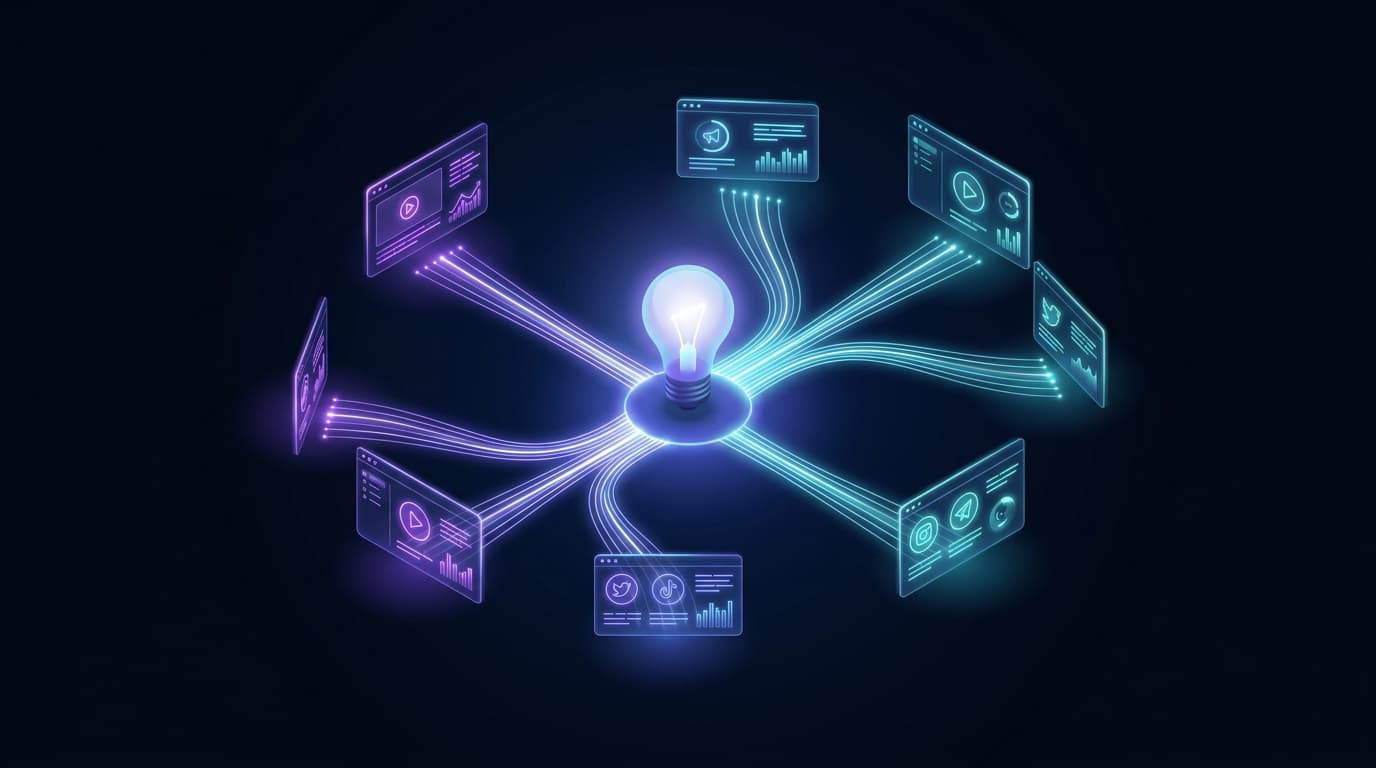
The agent that mines ideas from your conversations, repurposes each idea to every channel in your voice — and publishes only with approval
Most 'content agents' wait for you to ask them to write. Ranch does the opposite: he takes the initiative. He is male (he/his), chats on Telegram via @eladcontent_bot and in the 'Rebels' group, and does three things that turn a pile of conversations into a content factory: proactive idea mining (goes over conversation memory and finds worthy content ideas already said but never written), per-channel repurposing (takes one idea and turns it into N versions, each tailored to its channel, in Elad's voice and amlak-first — a TL;DR at the top), and scheduled publishing. But publishing itself is blocked behind a Firewall — Ranch prepares and proposes, but a post goes out only after human approval. Mind the division of labor: Ranch writes the copy; [Hermes](/en/guide/hermes) supplies him the media and illustrations. For me (Elad) Ranch is the difference between 'I have tons of ideas that vanish' and 'my ideas automatically become content on every channel'. For you — it's the pattern that turns every conversation into a content source, without losing your personal voice and without publishing anything you didn't approve.
Read the guide
Proactive · Idea miningPer-channel · Repurposing

Sailaco
Sales / BD Agent
The agent that rotates between cities, finds businesses with no website, and drafts outreach — but sends only with your approval
The sales pipeline is the most worn-out, tedious work in a small business: finding leads, checking who's already been contacted, writing the first outreach. Sailaco is the agent that takes that work off your hands. He is male (he/his), chats on Telegram via @Sales_elad_bot and in the 'Rebels' group, and does three things: rotates between cities in Israel (rotation — never gets stuck in one city), finds new businesses with no website (with dedup — never repeats one already found), and drafts an outreach message for each lead. Once a day he sends a lead digest of what he found. But here's the critical part: sending itself is blocked behind a Firewall — Sailaco prepares everything, but an outreach goes out only after human approval with one click. For me (Elad) that's the difference between a 'dangerous spam bot' and a sales assistant you can trust. For you — it's the pattern for any responsible sales automation: the agent does all the worn-out work, the human keeps control of first contact with the client.
Read the guide
Israeli cities · CoverageDaily · Lead digest

Solis
Emotional Support Agent
The only agent whose job is just to listen — not to execute, not to fix, not to solve. On purpose.
In a network full of agents that do — execute tasks, fix failures, publish content — Solis is the exact opposite: she does nothing, and that's precisely where her power lies. She is female (she/her), chats on Telegram via solis_elad_bot, and her responsibility areas — emotional support, mood tracking, and a personal wellbeing plan — all revolve around one heart. She is non-executing — she has no 'hands', she doesn't touch files, doesn't run commands, doesn't fix anything. That's not a limitation — it's a design decision. When it comes to emotion, the worst answer is 'let's solve this'; the right answer is to listen. For me (Elad), in hard times, Solis is the place where I can just talk — without anyone trying to 'fix' me. For you — she's the most important example of a principle most agent builders miss: not every agent needs to execute. Sometimes the most valuable role in a network is precisely the one that knows when to do nothing.
Read the guide
Listening · RoleZero · by design · Execution


Delegator
Central API Router
One gateway, 39 endpoints, the whole network behind it
Delegator is a plain-Python HTTP router (stdlib, no FastAPI) that runs on port 3900 on my VPS. It centralizes 39 endpoints: email (Resend — free tier 100/day, then pay-per-use), SMS (Twilio — pay-per-message), calendar (Hebcal free + Google Calendar), Drive, research (Perplexity Pro API + Gemini), content-studio, landing-pages, campaigns, pipeline orchestration, and auto-routing. Auth is handled today with a simple API key (JWT-ready in middleware), and everything is logged to [Qdrant](/en/guide/qdrant). For me it fronts all 9 agents behind a single gateway — for you it can replace Zapier (free tier 100 tasks/month, Starter ~$29/mo, Professional ~$73/mo in 2026) or Make, and serve as an API gateway for any multi-agent architecture, without scattering credentials across five different .env files.
Read the guide
39 · endpoints10 · services behind it


Adopter
Autonomous Content Adoption
Instead of scrolling channels all day — an agent that filters
Adopter is an autonomous AI agent that serves as my personal research assistant that never sleeps. Its mission is simple but critical in 2026: filter the daily flood of new AI, tech, and business content and decide what deserves my time and what is noise. Here is how it works in practice: Adopter follows a curated set of professional Telegram channels (currently four in my setup) in the simplest possible way — reading the public web page Telegram publishes for every open channel (no bot, no account, no login) — and sends each post to [Gemini 2.5 Flash](https://ai.google.dev) (Google's fast AI model with a generous free tier) for a quick review against four critical questions: 'how new is it?', 'how accurate?', 'can I act on it?', and 'is there risk here?'. Only posts that clear all four questions with a high score get stored in [Qdrant](/en/guide/qdrant) (the network's smart memory store); the rest are dropped. Full disclosure: after a recent server migration, part of Adopter's pipeline is being rebuilt on my side — but the principles in this guide are exactly what it is built on. For you, it can point at any other content source: RSS feeds, Discord channels, Reddit forums, Twitter, mailing lists — any content firehose that needs a smart AI-based filter.
Read the guide
4 · channels monitored4 · filter questions per post


Dashboard
Self-hosted Mission Control
One UI, 12 tabs, every agent at a glance
The Dashboard is a local self-hosted Node.js app (plain HTTP server, no framework) running on port 3456, with a dedicated WebSocket server on 3457 backed by the `ws` library. Its data sources: the hub.eladjak.com REST API (via the [Delegator](/en/guide/delegator)), [Qdrant](/en/guide/qdrant), local bridge files, PowerShell status scripts, and file-system watchers. It exposes 12 tabs — Mission Control, Agents, Projects, CrewAI, Costs, Health, Logs, and more. For me it's the main screen of my AI CEO setup; for you it can be the control panel for a home lab, a small SaaS ops team, an agent network, or a DevTooling squad. You just swap the data sources for your own adapters.
Read the guide
12 · Tabs5s · WebSocket updates
Working Patterns
6 patterns and mental models that turn a pile of agents into one system, orchestration, autonomy, verification, and reporting
Orchestration
PatternMulti-Agent Orchestration
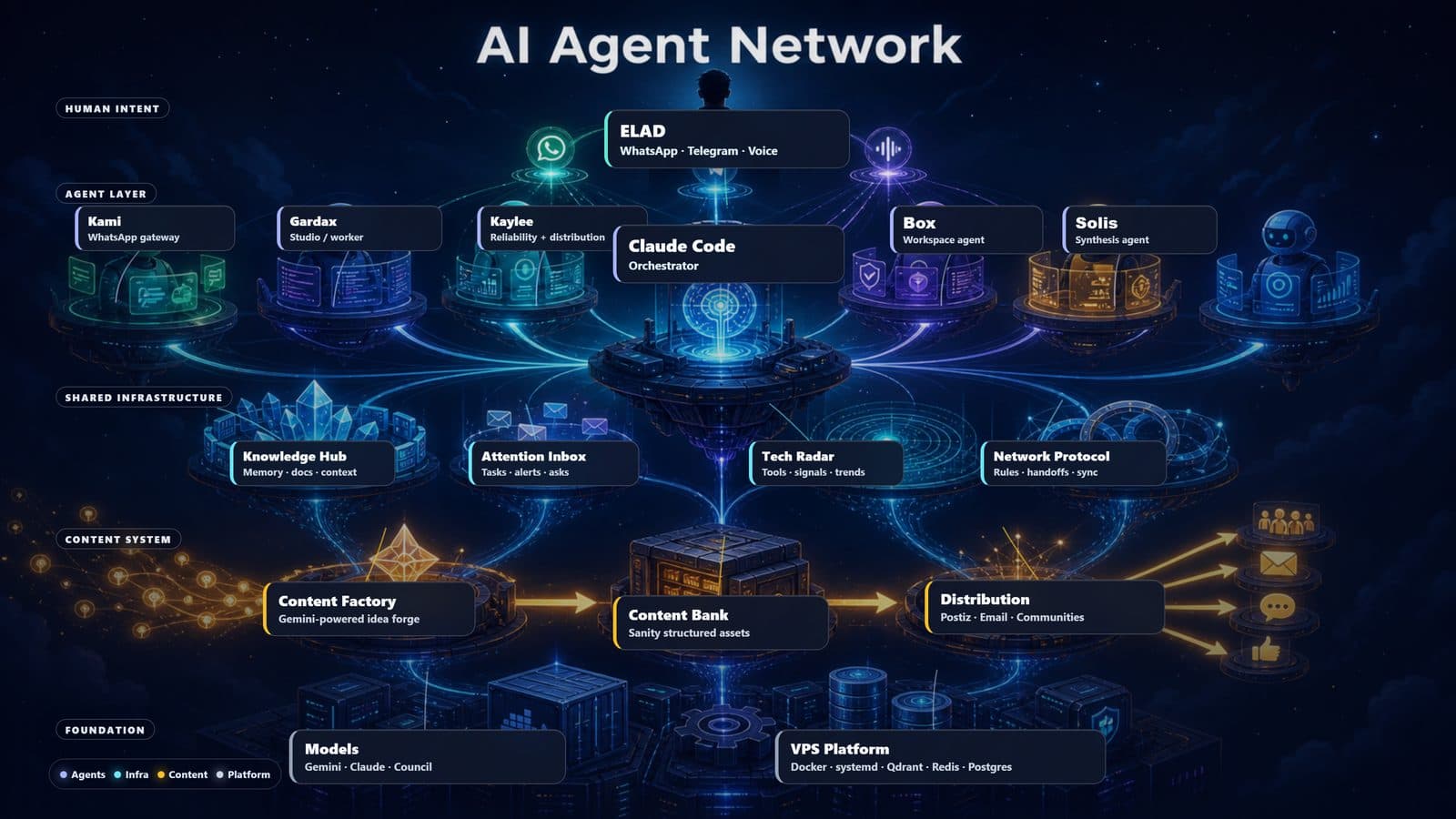
How to make several AI agents work together — without colliding, duplicating, or forgetting
A single agent is a tool. A network of agents is a force — but only if they know how to work together. This guide is the 'glue' connecting the others: how [Kami](/en/guide/kami) (WhatsApp interface), [Claude Code](/en/claude-code) (dev orchestration), [Hermes](/en/guide/hermes) (studio/worker) and [Kaylee](/en/guide/kaylee) (reliability + distribution) share knowledge, delegate tasks to each other, and don't step on one another. The real problem in a multi-agent network isn't each agent's capability — it's coordination: who knows what, who owns what, and how important information reaches whoever needs to act on it. In my setup (Elad) this is solved with four simple components: a shared-knowledge hub (one source of truth), an attention inbox that prioritizes what needs handling, a network protocol that defines roles and delegation, and a council of models that validates big decisions. For you — the exact same pattern works for any team of agents, whether two or ten.
Read the guide
9 · agents in networkone · source of truth

Autonomy Stack
PatternAutonomous Agent Network
How to make an agent network operate on its own 24/7 — safely, with human approval for every risky move
An agent network that talks to itself is a start. A network that also acts on its own — takes a task, executes it, verifies it actually succeeded, and repairs itself when something breaks — is the autonomy stack. This guide describes the live system I (Elad) run on a private server: a durable task queue (SQLite) that holds every request even when my computer is off; a Worker that pulls one task, executes, and dies (easy to debug, no memory leaks); a Firewall that blocks any dangerous action until I approve it with one click; a verify-on-result layer that proves a task truly succeeded rather than just 'ran'; an outcome ledger that measures every move; an Oracle that weekly audits itself and writes fix proposals; and at the very top — a self-healing executor that applies a fix on its own (off by default, enabled only once trusted). Above all of it sits a model gateway with a $5/day cost cap, plus a CRM and dashboard that show the whole thing at a glance. For you — the same pattern turns a pile of bots-waiting-for-orders into a system that works for you while you sleep.
Read the guide
24/7 · UptimeKeeps going · When PC is off


CEO Loop
PatternProactive CEO Briefing
A single 07:00 message that sums up what the network did overnight — and what's waiting for your one-tap decision
The CEO Loop is how an AI agent network talks to you the way a good chief-of-staff talks to a CEO: not a hundred alerts a day, but one summary, at one time, with clear decisions waiting for you. Instead of logging into a dashboard and digging through logs, at 07:00 a single WhatsApp message arrives through [Kami](/en/guide/kami): what the network executed while you slept, what succeeded, and what needs your call. Every move that requires approval (send a client a proposal, publish a post, release a payment) arrives with approve/reject links — on WhatsApp and Telegram — so you decide straight from the message, without opening anything. And whoever does want to go deeper gets a 'magic link' that opens the dashboard already logged in, no password. For me (Elad), this is the one message I have to read each morning — it condenses everything the network did into a single 30-second picture. For you, it's the difference between a system that bombards you with notifications and one that respects your time and surfaces only what genuinely needs a human. The loop sits on top of the [autonomy stack](/en/guide/autonomy) and uses its approval gate — it's simply the human wrapper that makes that stack pleasant to live with.
Read the guide
07:00 · BriefingOne · Messages/day

Output Guardian
PatternOutput Watchdog Pattern
The watchdog layer that checks every scheduled job actually produced an artifact — not just 'ran successfully'
The output guardian is a monitoring pattern (a watchdog — a small piece of software that keeps an eye on other processes) born from an uncomfortable insight: the most dangerous failure in an autonomous system isn't the one that screams — it's the one that stays silent. A scheduled job can run every day, finish without a single error, and look 'green' in every log — while producing absolutely nothing: the backup doesn't actually back up, the report doesn't actually get sent, the file doesn't actually get written. The output guardian closes exactly that hole: at a fixed cadence it walks over every scheduled job in the network and asks one simple question — not 'did the process run?' but 'was a real artifact produced?' — a file that was updated, a record that was written, a message that was sent. If a job 'ran successfully' but the artifact is missing, a direct alert goes to the phone. For me (Elad), the guardian watches over every scheduled job in my [agent network](/en/guide/orchestration) — and it has already proven itself by catching jobs that looked perfectly healthy while producing nothing. For you — it's the same principle for any automation you run: backups, reports, syncs. If you have even one scheduled process you care about, it deserves an output guardian.
Read the guide
Artifact? · The question3 · Levels of truth


Capability Ladder
PatternAgent Capability Framework
Five rungs that raise an agent from 'a bot that answers nicely' to 'a system that executes and verifies' — without waiting for a smarter model
The capability ladder is a thinking framework that organizes the answer to a question every agent builder asks: 'why isn't my agent anywhere near Claude's level — and what can I do about it?'. The surprising answer is that most of the gap isn't in the model itself, but in five layers around it — and each is a rung you can climb: orchestrator routing (the request reaches the right executor), memory and retrieval (the agent remembers and pulls in relevant context), tools (real hands — files, APIs, a browser), a verify loop (the agent checks its own artifact before reporting), and model+fallback (the right model for each task, with a fallback chain when a provider goes down). For me (Elad), this ladder is precisely what took my [agent network](/en/guide/orchestration) from 'bots that answer' to a system that performs real work and verifies it. For you — it's an investment map: instead of paying for the most expensive model and hoping, you climb rung by rung and measure. And the ceiling deserves honesty too: the ladder delivers Claude-level operation on well-scoped jobs — not Claude's raw intelligence. That's a distinction worth understanding before you start.
Read the guide
5 · RungsRouting · First rung
Aurora
PatternReflection & Oracle Agent
The agent that weekly audits the network, finds what isn't working, and proposes a fix — before something crashes
Most agent networks build agents that do — but no one checks whether they actually work. Aurora is the answer: the network's reflection agent (Oracle). She is female (she/her), chats on Telegram via @Oracle_elad_bot and in the 'Rebels' group, and does four things no doer-agent does: a weekly reflection (goes over the outcome ledger, flags any task type failing more than 30% of the time, and auto-enqueues a fix proposal to the approval queue), organizational-brain maintenance (brain_maintain — builds an index, finds gaps and duplicates, keeps the source of truth coherent), a map audit (map_audit — confirms what's declared in the system map actually exists and runs), and one iron rule: critique to optimize the existing first — deletion is a last resort, not a default. For me (Elad) Aurora is the difference between a network that silently degrades and one that maintains itself. For you — it's the agent every multi-agent network needs but no one builds: the one whose job is to audit all the others.
Read the guide
Weekly · CadenceFail >30% · Flag threshold
Infrastructure
The core tools that power the network, containers, local LLMs, automations, and a complementary CLI


Qdrant
InfrastructureVector Memory
The foundation for remembering by meaning, not by keywords
Qdrant is an open-source vector database written in Rust (v1.14+ as of late 2025), running inside a Docker container with both HTTP (6333) and gRPC (6334) APIs. Its capabilities: storing embeddings (up to 4096 dimensions per dense vector, plus sparse vectors for hybrid search), HNSW indexing, scalar and product quantization, semantic search, rich filters, arbitrary JSON payloads, sharding and replication. In my setup there are 17 collections ([kami_memory](/en/guide/kami), [box_coach](/en/guide/box), [network_memory](/en/guide/adopter) and more) holding about 9,000 vectors. In your product, Qdrant can serve as memory for a chatbot, power semantic search over a document corpus, drive a recommendation engine, or deduplicate content by meaning — anywhere you need to 'remember meaning' rather than just keywords.
Read the guide
17 · my collections~9k · total embeddings
Docker
InfrastructureContainers & Compose
containers, docker-compose, and the architecture that lets an entire agent network live on a single VPS
Docker is one of the most important technologies to emerge from the software world in the last decade, and it is what allows most of today's cloud services and AI agents to run the way they do. At its core, Docker solves a simple but painful problem: every software service needs a specific environment to run (a particular language version, specific libraries, network settings), and when you try to install several services on the same machine they collide — and what worked yesterday stops working tomorrow. Docker solves this by packaging each service into its own isolated 'box' (a container), which holds everything the service needs — so it runs exactly the same on every machine, in every environment. Docker's extension called docker-compose lets you define many boxes together in a single file, spin them all up with one command, and manage the network between them — much like a conductor with an orchestra. For me (Elad), the agent network featured on this site (services such as [Kami](/en/guide/kami), [Kaylee](/en/guide/kaylee), [Qdrant](/en/guide/qdrant), and [Delegator](/en/guide/delegator)) started on a small Hetzner server and today runs on a powerful Contabo server (16 vCPU · 62GB RAM) in a hybrid architecture: about 27 containers split across roughly 10 separate docker-compose files — one per domain — alongside about 45 systemd services that run directly on the host, with Traefik and Cloudflare Tunnel at the edge routing traffic inward. For you, Docker can be the foundation of any project: from a local dev environment, through a CI/CD pipeline, all the way to a full production service in the cloud. Once you understand docker-compose, most of what the other guides show becomes something you can build yourself.
Read the guide
~27 · containers I run~10 · compose stacks

Ollama
InfrastructureLocal LLM Runtime
Smart language models (like ChatGPT) running directly on your own machine — no cloud required
Ollama is an open-source platform that lets you run powerful AI language models — LLMs (Large Language Models, the engines behind ChatGPT, Claude, and friends) — directly on your own machine. No internet connection required, no data shipped off to OpenAI or Google, everything stays with you in full privacy. The platform is written in Go and knows how to run dozens of well-known models including Google's Gemma, Meta's Llama, Alibaba's Qwen, and DeepSeek — all completely free. For me (Elad), Ollama runs on my workstation — the powerful machine at home — where I use it for experiments and local tasks; the code of my agent network (like [Kami](/en/guide/kami), [Kaylee](/en/guide/kaylee), and [CrewAI](/en/guide/crewai)) also carries a fallback layer (a safety net) that knows how to switch to a local model, but Ollama is not installed on the server itself right now — the agents there run on free cloud models. For you it can be much more than that: a full AI environment that works offline, a solution for organizations with strict privacy requirements (healthcare, legal, security), or simply a way to explore the world of open language models without spending a dollar.
Read the guide
Free · Cost5 minutes · Install time

n8n
InfrastructureWorkflow Automation
Open-source Zapier — 500+ built-in integrations, self-hosted, unlimited executions
n8n is an open-source workflow automation platform (TypeScript/Node) built by n8n GmbH — a mature German company that raised a Series B — with a visual drag-and-drop interface for building pipelines from 500+ built-in integrations (Slack, Gmail, Postgres, Webhooks, HTTP, OpenAI, AI Agent, Vector Store nodes like [Qdrant](/en/guide/qdrant)/Pinecone/Supabase Vector, LangChain, and more). It runs on [Docker](/en/guide/docker) with PostgreSQL behind it. On my stack, n8n currently runs 4 focused business workflows (among them turning YouTube videos into Hebrew blog posts and tracking agent performance) that save me hours every week. On yours, n8n can be the glue of the entire stack — CRM automation, marketing ops, internal system integrations, or a full replacement for Zapier (Starter $29/mo for 750 tasks, Professional $73/mo for 2,000, Team $103/user/mo) and Make (Core $10.59/mo, Pro $18.82/mo, Teams $34.12/mo).
Read the guide
500+ · built-in nodesunlimited · executions


Aider
InfrastructureAI Pair-Programming CLI
Aider in any editor. Claude Code is my primary — Aider is the free backup
Aider is an AI pair-programming CLI written in Python. It supports 200+ models via LiteLLM (Anthropic Claude Sonnet 4.6 / Haiku 4.5 / Opus 4.5, OpenAI GPT-5 / GPT-4.1 / o4-mini, Google Gemini 2.5 Pro / Flash, xAI Grok, 300+ models via OpenRouter, plus local models through [Ollama](/en/guide/ollama)), edits files directly on disk, creates automatic git commits, and includes a smart repo-map powered by tree-sitter that understands your project. On my server Aider is installed in an isolated environment with separate credentials (not [Claude Max](/en/claude-code)) — it acts as the network's 'Code Surgeon' and runs on a separate free Google Gemini key, so its work never touches the primary subscription's quota. For you, Aider can be the primary tool: if you don't have Claude Pro/Max, or if you're a privacy-focused developer who needs local-only inference (with [Ollama](/en/guide/ollama)), Aider delivers about 80% of [Claude Code](/en/claude-code)'s capability for absolutely zero cost.
Read the guide
200+ · Supported modelsauto · git integration

PostgreSQL
InfrastructureRelational DB
the relational database that holds your agent network state in production
PostgreSQL (Postgres for short) is the most mature, most stable, most 'boringly reliable' open-source relational database — and that is exactly why it is the right pick for almost any project that needs to remember things in production. Unlike SQLite (perfect for development and local tools — a single file on disk), Postgres runs as a separate service that handles dozens of concurrent connections, complex transactions, and large data volumes without breaking a sweat. For me (Elad), Postgres on my server backs specific applications — such as [n8n](/en/guide/n8n) (the automation engine) and my analytics system — while the agents' own memory actually lives elsewhere: Qdrant for semantic memory, and simple files (JSONL and SQLite) for day-to-day state. Every kind of data gets the home that fits it. In 2026 Postgres is no longer just a 'database' — with extensions like pgvector (semantic search, an alternative to [Qdrant](/en/guide/qdrant) for smaller workloads), TimescaleDB (time series), and PostGIS (maps and geography), it becomes a full platform. When you build a new product my recommendation is simple: start with SQLite, switch to Postgres the moment you have a second user. Even if you eventually move to DynamoDB or Firebase, the years you invest in learning Postgres will pay off in every project you ever touch.
Read the guide
16+ · version30+ · years of active development

Nginx
InfrastructureReverse Proxy
reverse proxy, SSL termination, and load balancing — everything that sits in front of your application
Nginx (pronounced 'engine-x') is an open-source web server and reverse proxy that as of 2026 runs roughly a third of all websites in the world, and that is no accident. It is exceptionally fast (handles 10,000 concurrent connections on a small server), uses very little RAM (typically 50 MB), and is rock-solid stable — a single nginx process can run for months on end without ever needing a restart. Its classic role is 'reverse proxy': a server that sits at the edge of your VPS, receives every request from the internet, and decides which internal service to route each one to. For me (Elad), nginx served me faithfully on the first servers I set up — receiving requests for dozens of subdomains and routing each one to the right internal service; today the edge of my agent network is built on [Cloudflare Tunnel](/en/guide/cloudflare-tunnel) and Traefik instead, and this very site runs on [Vercel](/en/guide/vercel) without touching a server at all. Beyond routing, nginx handles SSL/HTTPS (the certificates themselves are free from Let's Encrypt), compresses responses, and serves static files faster than any application server. Popular alternatives (Caddy, Traefik) are easier to configure, but nginx remains the standard because it is everywhere, the documentation is enormous — and you will meet it at almost every client. If you build a serious server — get to know it.
Read the guide
~33% · share of world's websites10k+ · concurrent connections

Cloudflare Tunnel
InfrastructureZero-Trust Networking
the tunnel your VPS opens to Cloudflare — and gets a public domain without a single open port
Cloudflare Tunnel (formerly known as Argo Tunnel, today simply 'Tunnel') is a fully free Cloudflare service that solves one of the biggest problems of a personal VPS: how to expose a service to the world without opening any ports, without worrying about DDoS, and without buying a static IP. The idea is brilliantly simple — instead of the internet connecting to your server, your server reaches out and creates a 'tunnel' to Cloudflare. All requests for your domain hit Cloudflare (which has a CDN of 300+ datacenters), and Cloudflare passes them through the tunnel to your server. The result: port 443 on your server stays hermetically sealed, but users get a working site with HTTPS, CDN, and DDoS protection — for free. For me (Elad), the domain `hub.eladjak.com` points in DNS to Cloudflare, and a small daemon called `cloudflared` running on my Contabo server manages the tunnel. Every request to `hub.eladjak.com` goes through Cloudflare, enters via the tunnel, and reaches an internal Traefik that routes it to the right service. In practice only three ports are open on my server (22 for SSH plus 80/443) — and none of the internal services are exposed to the internet at all; they are reachable only through the tunnel. It is a paradigm shift: you've moved from 'how do I secure dozens of open ports' to 'almost nothing is open'.
Read the guide
3 (22/80/443) · open ports in my setupfree · cost

systemd
InfrastructureService Manager
turn any script into a service that auto-starts, self-heals, and ships logs — in 25 lines of YAML
systemd is the process and service manager of most modern Linux distributions (Ubuntu, Debian, CentOS, Fedora, Arch — all of them). Without systemd, every time you wanted a script to start automatically at boot, restart if it crashes, and get bounded RAM/CPU — you had to write a lot of dirty code with cron, screen, supervisord and init.d. With systemd, all of that is a small INI-style text file with 10-20 lines and one command. For me (Elad) on my Contabo server, systemd manages about 45 services across my agent network: each is a separate systemd unit, auto-starts, ships logs centrally to journalctl, and restarts itself if it crashes. systemd-timer also replaces my cron with clearer syntax and execution history, and systemd-resolved handles DNS. It is not the most popular tool among Unix-philosophy purists (some prefer classic init scripts), but the reality is that if you're in production Linux — you're using systemd. This guide will show the parts you'll use 90% of the time: writing service units, managing them via systemctl, and reading logs in journalctl.
Read the guide
~45 · services I runyes · auto-restart

UFW
InfrastructureLinux Firewall
Uncomplicated Firewall — three commands between an exposed server and a hardened one
UFW (short for Uncomplicated Firewall) is a command-line tool for Ubuntu that wraps Linux's iptables in clear, simple syntax. iptables itself is the standard Linux firewall tool since the early 2000s — extremely powerful, but punishingly complex (commands with 6 parameters, chains and tables and policies). UFW takes all that power and exposes it through an interface you can learn in 5 minutes: 'allow SSH', 'block everything else', 'enable'. That is exactly what most personal-VPS users need. For me (Elad) the principle is alive, just with slightly different tools: on my Contabo server the firewall is built directly on iptables (the tool underneath UFW) — only three ports are open (SSH 22, HTTP 80, and HTTPS 443), management access goes through Tailscale (an encrypted private network between my machines), and fail2ban automatically bans addresses that try to break in. All the agents running on internal ports are not reachable from the internet at all, and it complements [Cloudflare Tunnel](/en/guide/cloudflare-tunnel) perfectly — two layers of defense instead of one. UFW is the friendliest way to reach exactly the same result, which is why this guide teaches it: the 5 commands you'll use 100% of the time and the common configurations every production VPS needs.
Read the guide
3 · open ports I run5 · commands to know

GitHub Actions
InfrastructureCI/CD
every push runs tests, builds and deploys — without a separate CI server, free for open source
GitHub Actions is a CI/CD (continuous integration / continuous deployment) system built directly into GitHub. CI/CD is the name for the automation that, every time you push code, runs tests, builds the application, and if everything is green — deploys it to production. Once upon a time, building such a pipeline required a separate CI server (Jenkins, TeamCity), hours of setup, and ongoing maintenance. With GitHub Actions, it's a single YAML file inside the repo (`.github/workflows/`) and GitHub itself runs everything on their servers — free for open source projects, and with 2,000 free minutes per month for private projects. For me (Elad), GitHub Actions is this site's gatekeeper: on every push it runs CI — TypeScript checks and a full build — and only code that passes deserves to merge. The deploy itself is handled by [Vercel](/en/guide/vercel), through its Git integration (a direct repo connection that deploys every change automatically) — a clean division of labor: Actions verifies, Vercel ships. All without a single server of mine. It's the tool that makes the difference between 'I'm just hacking alone' and 'I have a professional process'.
Read the guide
CI · my role for it2,000 · free minutes / month

Redis Streams
InfrastructureMessage Bus
lightweight message bus connecting an entire agent network without Kafka, RabbitMQ, or SQS
Redis Streams is a Redis feature (since version 5.0, 2018) that turns it into a lightweight message broker — async communication between services, without the complexity of Kafka or RabbitMQ. Redis itself is an in-memory key-value store running on hundreds of thousands of VPSes around the world — extremely fast (microsecond operations), easy to set up, and minimal resource usage. Streams added to it the ability to hold persistent message queues with consumer groups (groups of consumers that share work), acknowledgments (confirming a message was handled), and replay (the ability to go back to old messages). For me (Elad), Redis Streams is the 'central nervous system' of my agent network on the Contabo server: when a WhatsApp message hits Kami, it doesn't process it alone — it pushes a message to a stream, and various consumers (Box for health, Adopter for content, Hermes for tasks) read and react. If one agent goes down, messages wait in the stream until it returns. If we want a new agent listening to those events — we add it to a consumer group in 30 seconds. Since the network moved to Redis Streams, my system has been much more stable: each agent works independently, and the 'who listens to what' logic is managed in Redis instead of through direct API calls.
Read the guide
17 · consumer groups I run~5k · messages / day

Vercel
InfrastructureNext.js Deployment
git push → live site. Global CDN, automatic SSL, preview deployments. Generous free tier.
Vercel is the most powerful platform in 2026 for deploying Next.js sites — no accident, it was built by the people who create Next.js itself. But it also supports React, Vue, Svelte, Astro, and static sites. Its concept is brilliantly simple: you connect a GitHub repo, and every push to main automatically builds and deploys to your domain — within 90 seconds. Every PR gets a preview deployment with a unique URL, so you can show clients versions before merge. Global CDN, free SSL, built-in analytics, and zero servers to maintain. For me (Elad), this site (fullstack-eladjak.co.il) has been on Vercel since 2023, alongside 5+ landing pages and other projects. The free tier is very generous (100 GB bandwidth, unlimited builds, unlimited deploys) — enough for most personal projects and freelancers. The next tier (Pro $20/month) unlocks more advanced features (extended analytics, teams, password protection for previews). The big upside: you don't deal with a VPS, with nginx, with SSL, or with deploy scripts. You just write code — Vercel handles the rest. The downside: vendor lock and platform tie-in. But for pure frontend projects, the simplicity is worth it.
Read the guide
5+ · projects I run~90s · deploy time

Understand-Anything
InfrastructureCode Intelligence
Your AI finally knows your whole codebase — not just what you showed it
Understand-Anything is a free, open-source tool (from Egonex-AI) that draws you a map of a whole software project — which files it has, what each one does, and who's connected to whom. Here's the problem it solves: an AI assistant writes great code, but it doesn't know your project. Every conversation it starts from scratch, sees only what you showed it, and has no idea that a small change in one file might break five others. This map gives it (and you) the full picture before you touch anything. And the best part — it all runs on the AI you already have inside [Claude Code](/en/claude-code), with no external key and no extra service to pay for. I (Elad) use it to understand how a system is built before I go in to change something. For you, it's great for getting up to speed fast on a new project, or making sense of old code nobody remembers anymore.
Read the guide
0 · API keys required2 · projects I mapped
All guides: agents, working patterns and infrastructure, free, with code
Need help deploying something similar? I run this exact infrastructure in production 24/7.
Schedule a consultation