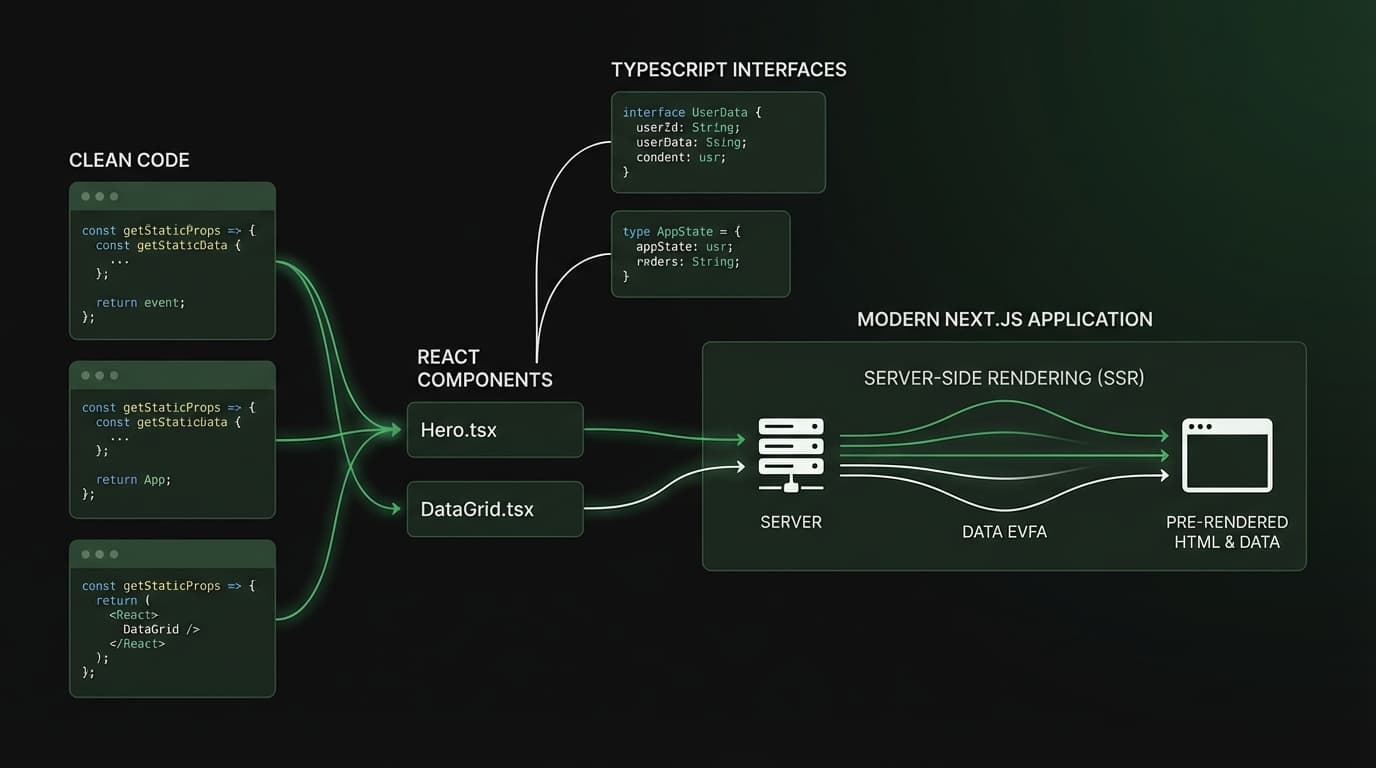
בניית אפליקציות ווב מודרניות עם Next.js 16
מדריך מעשי לבניית אפליקציות ווב מוכנות לפרודקשן עם Next.js 16, כולל App Router, רכיבי שרת של React, תבניות TypeScript ואינטגרציה עם Tailwind CSS.

# Building Modern Web Apps with Next.js 16
Next.js 16 has arrived, and it represents a major leap forward for React developers. With a refined App Router, deeper React Server Components integration, improved caching strategies, and first-class TypeScript support, it is now easier than ever to build fast, scalable, and maintainable web applications. In this post, I will walk through the core features I rely on daily and share practical patterns from real projects.
## Why Next.js 16?
The web development landscape evolves quickly, but Next.js has consistently stayed ahead by embracing the right abstractions at the right time. Version 16 doubles down on the paradigm shift introduced with the App Router while addressing the pain points developers encountered in earlier versions.
Here is what stands out:
- Stable React Server Components - Server-first rendering is no longer experimental; it is the default
- Improved streaming and Suspense - Granular loading states that feel native
- Enhanced caching controls - Fine-grained
revalidate,dynamicIO, and per-route cache policies - Turbopack in production - Dramatically faster builds and hot module replacement
- Native TypeScript config -
next.config.tsis fully supported with type-safe configuration
## Project Setup
Starting a new Next.js 16 project with TypeScript and Tailwind is straightforward. The CLI scaffolds everything you need with sensible defaults.
```bash
bunx create-next-app@latest my-app --typescript --tailwind --app --src-dir
cd my-app
bun dev
```
The generated project structure follows the App Router convention. Every folder inside app/ becomes a route, and special files like page.tsx, layout.tsx, and loading.tsx control rendering behavior at each level.
## React Server Components in Practice
The most transformative feature in Next.js 16 is the maturity of React Server Components. By default, every component in the app/ directory is a Server Component. This means it runs on the server, has zero JavaScript sent to the client, and can directly access databases, file systems, and environment variables.
```tsx
// app/projects/page.tsx - This is a Server Component by default
import { db } from "@/lib/database";
interface Project {
id: string;
title: string;
description: string;
techStack: string[];
liveUrl: string;
}
export default async function ProjectsPage() {
const projects: Project[] = await db.query("SELECT * FROM projects ORDER BY created_at DESC");
return (
Projects
{projects.map((project) => (
key={project.id}
className="group rounded-2xl border border-neutral-200 p-6 transition-shadow hover:shadow-lg dark:border-neutral-800"
>
{project.title}
{project.description}
{project.techStack.map((tech) => (
key={tech}
className="rounded-full bg-blue-100 px-3 py-1 text-sm text-blue-800 dark:bg-blue-900/30 dark:text-blue-300"
>
{tech}
))}
))}
);
}
```
No useEffect. No useState. No loading spinner logic. The data is fetched on the server, the HTML is streamed to the client, and the page is interactive immediately. This is a fundamental shift in how we think about React applications.
## Client Components: When You Need Interactivity
Not everything belongs on the server. Forms, animations, event handlers, and browser APIs all require Client Components. The key is to push the "use client" boundary as far down the tree as possible, keeping the majority of your app server-rendered.
```tsx
"use client";
import { useState, useTransition } from "react";
import { submitContactForm } from "@/actions/contact";
interface FormData {
name: string;
email: string;
message: string;
}
export function ContactForm() {
const [formData, setFormData] = useState
name: "",
email: "",
message: "",
});
const [isPending, startTransition] = useTransition();
const handleSubmit = (e: React.FormEvent) => {
e.preventDefault();
startTransition(async () => {
await submitContactForm(formData);
setFormData({ name: "", email: "", message: "" });
});
};
return (
);
}
```
Notice how the form uses useTransition with a Server Action instead of managing fetch calls manually. This is the Next.js 16 way: Server Actions bridge the gap between client interactivity and server-side data mutations.
## Server Actions: The Backend in Your Frontend
Server Actions eliminate the need for separate API routes for most data mutations. They are type-safe, colocated with your UI code, and automatically handle serialization.
```tsx
// actions/contact.ts
"use server";
import { z } from "zod";
import { db } from "@/lib/database";
const contactSchema = z.object({
name: z.string().min(2, "Name must be at least 2 characters"),
email: z.string().email("Invalid email address"),
message: z.string().min(10, "Message must be at least 10 characters"),
});
export async function submitContactForm(data: { name: string; email: string; message: string }) {
const parsed = contactSchema.safeParse(data);
if (!parsed.success) {
return { success: false, errors: parsed.error.flatten().fieldErrors };
}
await db.insert("contact_submissions", {
name: parsed.data.name,
email: parsed.data.email,
message: parsed.data.message,
created_at: new Date().toISOString(),
});
return { success: true };
}
```
Input validation with Zod happens on the server, where it cannot be bypassed. The function is callable directly from the client component, but executes entirely on the server. This pattern eliminates an entire class of security bugs.
## Layouts and Metadata
Next.js 16 makes shared layouts and SEO metadata trivial. Each route segment can export a generateMetadata function for dynamic, type-safe meta tags.
```tsx
// app/blog/[slug]/page.tsx
import type { Metadata } from "next";
import { getPostBySlug } from "@/lib/blog";
import { notFound } from "next/navigation";
interface PageProps {
params: Promise<{ slug: string }>;
}
export async function generateMetadata({ params }: PageProps): Promise
const { slug } = await params;
const post = await getPostBySlug(slug);
if (!post) return { title: "Post Not Found" };
return {
title: post.title,
description: post.description,
openGraph: {
title: post.title,
description: post.description,
images: [{ url: post.featuredImage, width: 1200, height: 630 }],
},
};
}
export default async function BlogPostPage({ params }: PageProps) {
const { slug } = await params;
const post = await getPostBySlug(slug);
if (!post) notFound();
return (
{post.title}
);
}
```
## Performance Patterns I Follow
After building several production Next.js applications, here are the patterns that consistently deliver the best performance:
1. Server Components by default - Only add "use client" when you genuinely need browser APIs or event handlers
2. Streaming with Suspense - Wrap slow data fetches in boundaries so the rest of the page loads instantly
3. Image optimization - Always use next/image with explicit width and height to prevent layout shifts
4. Route-level code splitting - The App Router handles this automatically, but keep Client Components small and focused
5. Parallel data fetching - Use Promise.all when fetching multiple independent data sources in a Server Component
## Tailwind CSS Integration
Tailwind CSS pairs exceptionally well with Next.js 16. The utility-first approach means your styles are colocated with your markup, there is no CSS-in-JS runtime overhead, and the build step purges unused classes automatically.
I use a few conventions that keep large projects manageable: group related utilities on separate lines, extract repeated patterns into components rather than @apply, and leverage the dark: variant consistently for theme support.
## Wrapping Up
Next.js 16 is not just an incremental update. It represents a mature, opinionated framework that makes the right architectural choices easy and the wrong ones hard. Server Components, Server Actions, streaming, and Turbopack together create a development experience that is both fast to build with and fast for end users.
If you are starting a new project in 2026, Next.js 16 with TypeScript and Tailwind is a combination that is hard to beat. The ecosystem is mature, the patterns are battle-tested, and the developer experience keeps getting better.
Building something with Next.js 16? I would love to hear about it. Reach out and let's talk.
## בניית אפליקציות ווב מודרניות עם Next.js 16
Next.js 16 הגיע, והוא מייצג קפיצה גדולה קדימה למפתחי React. עם App Router משוכלל, אינטגרציה עמוקה יותר של React Server Components, אסטרטגיות מטמון משופרות ותמיכה מהשורה הראשונה ב-TypeScript, קל מעולם לבנות יישומי ווב מהירים, גמישים וניתנים לתחזוקה. בפוסט זה אעבור על התכונות המרכזיות שאני מסתמך עליהן יומיום ואשתף דפוסים מעשיים מפרויקטים אמיתיים.
### למה Next.js 16?
נוף פיתוח הווב מתפתח במהירות, אבל Next.js נשאר תמיד קדימה על ידי אימוץ ההפשטות הנכונות בזמן הנכון. גרסה 16 מכפילה את השינוי הפרדיגמטי שהוצג עם App Router תוך טיפול בנקודות הכאב שמפתחים נתקלו בהן בגרסאות קודמות.
הנה מה שבולט:
- React Server Components יציבים - עיבוד Server-first כבר אינו ניסיוני; זה ברירת המחדל
- סטרימינג ו-Suspense משופרים - מצבי טעינה גרגוריים שמרגישים טבעיים
- בקרת מטמון משופרת -
revalidate,dynamicIOומדיניות מטמון לכל נתיב - Turbopack בפרודקשן - בנייה חלפות מהירות בצורה דרמטית
- הגדרת TypeScript מקורית -
next.config.tsנתמך במלואו עם הגדרות בטוחות טיפוסית
### הגדרת פרויקט
התחלת פרויקט Next.js 16 חדש עם TypeScript ו-Tailwind פשוטה. ה-CLI מגדיר את כל מה שצריך עם ברירות מחדל הגיוניות.
```bash
bunx create-next-app@latest my-app --typescript --tailwind --app --src-dir
cd my-app
bun dev
```
### React Server Components בפועל
התכונה המשנה הכי הרבה ב-Next.js 16 היא הבגרות של React Server Components. כברירת מחדל, כל רכיב בתיקייה app/ הוא Server Component. זה אומר שהוא רץ בשרת, שולח אפס JavaScript ללקוח, ויכול לגשת ישירות למסדי נתונים, מערכות קבצים ומשתני סביבה.
```tsx
// app/projects/page.tsx - זהו Server Component כברירת מחדל
import { db } from "@/lib/database";
export default async function ProjectsPage() {
const projects = await db.query("SELECT * FROM projects ORDER BY created_at DESC");
return (
פרויקטים
{projects.map((project) => (
{project.title}
{project.description}
))}
);
}
```
ללא useEffect. ללא useState. ללא לוגיקת ספינר טעינה. הנתונים נאספים בשרת, ה-HTML מועבר בסטרימינג ללקוח, והדף הוא אינטראקטיבי מיד. זהו שינוי יסודי באופן שבו אנחנו חושבים על יישומי React.
### רכיבי לקוח: כשצריך אינטראקטיביות
לא הכל שייך לשרת. טפסים, אנימציות, מטפלי אירועים וממשקי API של הדפדפן דורשים רכיבי לקוח. המפתח הוא לדחוף את הגבול "use client" כמה שיותר למטה בעץ, ולשמור על רוב האפליקציה כ-server-rendered.
```tsx
"use client";
import { useState, useTransition } from "react";
import { submitContactForm } from "@/actions/contact";
export function ContactForm() {
const [formData, setFormData] = useState({ name: "", email: "", message: "" });
const [isPending, startTransition] = useTransition();
const handleSubmit = (e: React.FormEvent) => {
e.preventDefault();
startTransition(async () => {
await submitContactForm(formData);
setFormData({ name: "", email: "", message: "" });
});
};
return (
);
}
```
### Server Actions: הבקאנד בתוך הפרונטאנד
Server Actions מבטלים את הצורך בנתיבי API נפרדים לרוב מוטציות הנתונים. הם בטוחים טיפוסית, ממוקמים ביחד עם קוד ממשק המשתמש, ומטפלים בסריאליזציה באופן אוטומטי.
```tsx
// actions/contact.ts
"use server";
import { z } from "zod";
const contactSchema = z.object({
name: z.string().min(2),
email: z.string().email(),
message: z.string().min(10),
});
export async function submitContactForm(data: { name: string; email: string; message: string }) {
const parsed = contactSchema.safeParse(data);
if (!parsed.success) {
return { success: false, errors: parsed.error.flatten().fieldErrors };
}
// שמירת הנתונים במסד הנתונים
return { success: true };
}
```
אימות קלט עם Zod מתרחש בשרת, שם לא ניתן לעקוף אותו. הפונקציה ניתנת לקריאה ישירות מרכיב הלקוח, אבל מתבצעת לחלוטין בשרת. דפוס זה מבטל קטגוריה שלמה של באגי אבטחה.
### דפוסי ביצועים שאני עוקב אחריהם
לאחר בניית מספר יישומי Next.js לפרודקשן, הנה הדפוסים שמספקים באופן עקבי את הביצועים הטובים ביותר:
1. Server Components כברירת מחדל - הוסיפו "use client" רק כשצריך באמת ממשקי API של הדפדפן או מטפלי אירועים
2. סטרימינג עם Suspense - עטפו שליפות נתונים איטיות בגבולות
3. אופטימיזציית תמונות - השתמשו תמיד ב-next/image עם רוחב וגובה מפורשים
4. פיצול קוד ברמת נתיב - App Router מטפל בזה אוטומטית
5. שליפת נתונים מקבילית - השתמשו ב-Promise.all בעת שליפה ממספר מקורות עצמאיים
### Tailwind CSS
Tailwind CSS מתאים בצורה יוצאת מן הכלל ל-Next.js 16. הגישה utility-first אומרת שהסגנונות שלכם ממוקמים יחד עם ה-markup שלכם, אין תקורת JavaScript-in-CSS בזמן ריצה, וצעד הבנייה מנקה אוטומטית מחלקות לא בשימוש.
### סיכום
Next.js 16 הוא לא רק עדכון מצטבר. הוא מייצג מסגרת עבודה בשלה ודעתנית שהופכת את הבחירות האדריכליות הנכונות לקלות ואת הלא-נכונות לקשות. Server Components, Server Actions, סטרימינג ו-Turbopack יחד יוצרים חוויית פיתוח שהיא גם מהירה לבנות איתה וגם מהירה למשתמשי הקצה.
אם אתם מתחילים פרויקט חדש ב-2026, Next.js 16 עם TypeScript ו-Tailwind הוא שילוב שקשה לנצח. האקוסיסטם בשל, הדפוסים נבדקו בקרב, וחוויית המפתח ממשיכה להשתפר.
בונים משהו עם Next.js 16? אשמח לשמוע על זה. פנו אלי ונדבר.